For the past nine months, I’ve been making Tug, an app to create a great user experience for AI coding. I made this video to tell you more about it.
Yes, it seems a bit funny to be “releasing” an app that has been open source since I started working on it, so maybe I’ll just consider this post to be about releasing the video describing it. I’ve had a great time developing the app. The time has flown by! 🚀
A fun wrinkle is that I now develop Tug with Tug. I started with Claude Code in the terminal, but once I got Tug up and running well enough to use, about five months ago, there’s been no gap between using the app and working on it. I’ve loved this aspect of the project, and it reminds me of something I wrote about in my book, Creative Selection.
There’s a common high-tech term for a daily regimen of using and evaluating your own product while you’re trying to develop it: dogfooding. I never liked this term myself, and it didn’t appeal to Apple sensibilities either. Pet food isn’t typically thought of as a pinnacle of product development. On the [hallway where we developed the software for the original iPhone], we were trying to make excellent products for people, and while we sometimes said “dogfooding” inside Apple, more often, and more officially, we began to say “living on” to describe the day-to-day routine of living on our in-progress software like it was a real product.
I started the Tug project eight months ago today, with the goal of creating an Integrated Development Environment (IDE) for AI coding. I’ve made much progress, and I’m beginning to pull together the loose ends that remain in preparation for more complete descriptions and announcements.
Before I do that, today feels like a good time to take stock. I know that the topic of AI as an aid in creative and technical work remains controversial, but for myself, I am convinced. The scope and pace of work I have been able to achieve since this past February is too obvious to deny. I offer two means to express this.
The first is that I started with only a Claude Code account, and I now have a complex, fully-functioning app that I use all day every day for software development and other projects too. I’m typing this message in Tug right now. About four months ago, I cut over to developing Tug with Tug (I did the preceding bootstrapping period with Claude Code in the terminal). From that day, I never looked back. This gives me the confidence that Tug is becoming suitable for serious projects. The advent of AI has given me the license to dream bigger dreams, and then set about realizing them, and if nothing else, that is worthwhile. I started with nothing, and now, I am a very happy user of the app I’ve created.
The second is the numbers, admittedly a tricky way to assess a software project, but the sheer scale of the output seems noteworthy. In Tug, over eight months, I’ve done just over 7k commits in more than 3.9k files and have produced almost 875k lines of code in a half-dozen languages. These numbers don’t tell anything about quality, of course, but they do speak to the pace of my work, which is incredible to me. In 2020, I did a six-month project I did to create Up Spell, an iOS word game. I wrote that project in the old-fashioned style where I typed each line of code all by myself, one at a time. The results were: ~850 commits, 235 files, and 31k lines of code.
Up Spell
Tug
Tug ÷ Up Spell
Commits/day
~4.8
~29
~6×
Files/day (net)
~1.3
~16
~12×
Code lines/day (net)
~175
~3,600
~20×
Code lines per commit
~36
~125
~3.5×
Total code lines
31.6k
875k
~28×
This adds up to: ~6× more commits, ~20× more net code lines/day, and ~28× more total lines of code. In Tug, I have been working far faster than I did during Up Spell, and I have produced all this code as the only human on the project. In the times before AI, I doubt I would have even attempted a project of the size and complexity of Tug. It feels as if it would have taken me many years to do the work I have done in the past few months.
I am convinced in this new approach to AI-assisted software development, and for me, the only way is forward. I do not miss the old ways at all.
All this code is open source. Feel free to have a look for yourself.
My idea for Tug started out as an aid for AI code refactoring. I then expanded out into creating skills and agents to guide the way I created to go from from an idea to a mergeable pull request with AI coding assistance. This turned out great, and over the past several weeks, my plan/implement/merge flow has been how I make virtually all the changes to my software. Yet, the more I got into this work, the more I came to feel that running Claude Code in a terminal—as wonderful and mind-blowingly amazing as it is—isn’t where I spend all my daily software development hours.
I want an app—an IDE for the age of AI coding. So, I decided to do this for myself. These last two words, for myself, are key. I have no idea whether anyone else ever will want to use what I’m making. It’s not a goal, nor is it a non-goal. A for myself approach just the simplest and most straighforward way for me to arrive at what I consider to be good solutions. I ask, “What do I really want here?” And then I do that, or at least try to.
I’m also lucky in that I have no time constraints. I don’t work for anyone, and I don’t plan to anytime soon. This confers a freedom for me to pursue my interests in the things I find most compelling every day, and to take the time to “do things right” in a way I get to define for myself. I’m also pretty opinionated, and I just make choices that suit me on a wide variety of topics. So there. As I said, I’m lucky.
One of the most basic questions I’ve asked myself is what an AI coding IDE should even look like, and be like, and how I should build it. Obviously, conversing / “chatting” with an AI assistant is a big part of the overall approach, but at a level even more fundamental than that, I have a question about what tech stack I should use to build this IDE around.
Part of me really wishes that a native Mac app was the answer, but I feel like Apple has drifted for more than ten years about what it means to write serious apps for the Mac. For me, native Mac development is not the future—at least it’s not the lynchpin it once was. Pity. Electron, inevitably, seems to come with a ton of bloat. Pass.
I got some experience writing React apps for the web during my time at Infactory, the startup I used to work at, but I was frustrated by how uncontrolled the state and rendering system was. It felt like it encouraged spaghetti code with a dizzyingly over-connected chain of dependencies. But, I used AI to study some well-made open-source projects, like Excalidraw, which seem to have tamed the tangle, and I developed a set of rules for developing with React. I also adopted Radix Primitives as the core of my UI component system.
I do actually load this web tech into the thinnest Mac app I could possibly write. Mostly, it’s the approach that game developers take. Ask the native OS for a window, and but then steer away from the native app frameworks. This leaves me with so much to do to get an app I’d like to spend time in. But that’s OK. I have time.
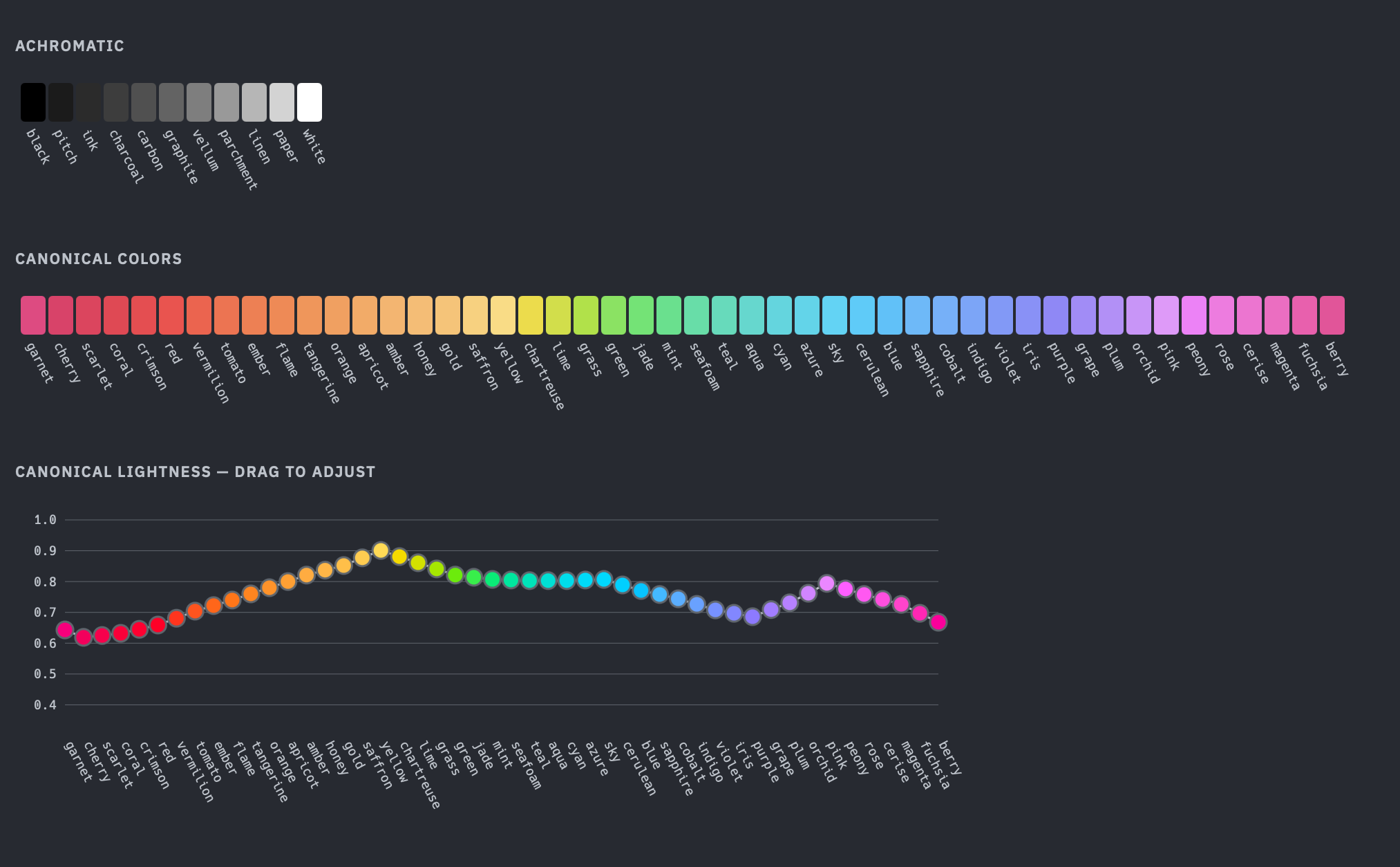
For the past few days, I’ve been working at the meeting point between a set of core components (e.g. buttons, badges, sliders, checkboxes), a system for creating themes that provides flexibility for specifying different look-and-feel light/dark options while rendering these components in a legible and accessible fashion, and a color palette system for naming and specifying colors in a pleasant fashion that is amenable to the theme system and CSS.
There’s so much to talk about, and so much work to do. So for now, here are a few words on the color palette system.
TugColor Palette System
Overview
The TugColor palette is a named color vocabulary for the --tug-color() CSS notation. Every color has a human-readable name — no numeric codes, no degree offsets, no mental math. Colors are specified by four axes: color (hue name), intensity (chroma, 0–100), tone (lightness, 0–100), and alpha (opacity, 0–100).
This document describes the naming system. For the --tug-color() syntax and the intensity/tone/alpha axes, see the parser and palette engine module docs.
Basic system: 60 named colors
The basic vocabulary has 60 names across three categories.
48 chromatic colors
48 named hue families arranged in a circular ring, mapped to OKLCH hue angles. Names are drawn from gemstones, flowers, fruits, spices, pigments, and natural phenomena.
Listed in ring order by hue angle:
Chip
#
Name
Hue °
1
garnet
2.5°
2
cherry
10°
3
scarlet
15°
4
coral
20°
5
crimson
22.5°
6
red
25°
7
vermilion
30°
8
tomato
35°
9
ember
40°
10
flame
45°
11
tangerine
50°
12
orange
55°
13
apricot
60°
14
amber
65°
15
honey
70°
16
gold
75°
17
saffron
82.5°
18
yellow
90°
19
chartreuse
102.5°
20
lime
115°
21
grass
127.5°
22
green
140°
23
jade
147.5°
24
mint
155°
25
seafoam
165°
26
teal
175°
27
aqua
187.5°
28
cyan
200°
29
azure
207.5°
30
sky
215°
31
cerulean
222.5°
32
blue
230°
33
sapphire
240°
34
cobalt
250°
35
indigo
260°
36
violet
270°
37
iris
277.5°
38
purple
285°
39
grape
292.5°
40
plum
300°
41
orchid
310°
42
pink
320°
43
peony
327.5°
44
rose
335°
45
cerise
340°
46
magenta
345°
47
fuchsia
350°
48
berry
355°
The ring wraps: berry (355°) and garnet (2.5°) are adjacent.
Canonical lightness
Each hue has a canonical lightness (canonical L) — the OKLCH lightness at which that hue achieves an aesthetically-pleasing chroma. This is the lightness where the color looks most like itself: the most “natural” and “expected” version of a color (to me) that fits in the sRGB gamut. Canonical L varies significantly across hues because the sRGB gamut boundary is irregular in OKLCH space. Yellow is naturally bright at peak saturation (canonical L = 0.901), while cherry is naturally dark (canonical L = 0.619). These values are chosen aesthetically.
The tone axis (0–100) maps to OKLCH lightness through canonical L as a piecewise linear function with a hinge at tone 50:
tone 0 → L_DARK (0.15) darkesttone 50 → canonical L per-hue tuned lightnesstone 100 → L_LIGHT (0.96) lightest
The lower half (tone 0–50) interpolates linearly between L_DARK and canonical L. The upper half (tone 50–100) interpolates between canonical L and L_LIGHT. This means the tone scale is perceptually centered on each hue’s natural brightness — tone 50 always gives you a suitably canonical version of that color, regardless of whether the hue is naturally light (like yellow) or naturally dark (like cherry).
Each hue traces a line from L_DARK through its canonical L to L_LIGHT, and the varying heights of the hinge points show how different hues peak at different lightness levels.
11 achromatic colors
11 named values on a linear light-to-dark scale. The endpoints are black and white. The nine intermediates are named for craft and mark-making materials — writing surfaces on the light end, pigments and residues on the dark end.
Chip
Name
Tone
L (oklch)
black
0
0.000
pitch
10
0.220
ink
20
0.290
charcoal
30
0.360
carbon
40
0.430
graphite
50
0.500
vellum
60
0.592
parchment
70
0.684
linen
80
0.776
paper
90
0.868
white
100
1.000
These are fixed-lightness values. --tug-color(graphite) always means L=0.5, C=0. Intensity and tone parameters are ignored (with a warning). Alpha is honored.
The gray pseudo-hue remains available for continuous achromatic access at any tone: --tug-color(gray, t: 37) produces an arbitrary gray. Named grays are the fixed reference points; gray is the continuous slider.
1 transparent
--tug-color(transparent) expands to oklch(0 0 0 / 0). All parameters are ignored. Transparent does not participate in any adjacency system.
Extended system: 176 named colors
The extended vocabulary adds hyphenated adjacency pairs to the 60 basic names.
Chromatic adjacency (circular ring)
Any two adjacent colors on the 48-color hue ring can be hyphenated. The first name is dominant — it contributes 2/3 of the hue angle, the second contributes 1/3.
hue(A-B) = (2/3 × angle(A)) + (1/3 × angle(B))
Order matters. yellow-chartreuse and chartreuse-yellow are different colors:
Chip
Expression
Hue °
yellow
90.0°
yellow-chartreuse
94.2°
chartreuse-yellow
98.3°
chartreuse
102.5°
The ring is circular — berry (355°) and garnet (2.5°) are adjacent and wrap correctly across the 360°/0° boundary.
The 11 achromatic colors form a linear (non-wrapping) sequence. Black and white are not adjacent — there is no wrap. Adjacency uses the same 2/3 + 1/3 weighting, applied to lightness instead of hue angle.
The way James T. Kirk interacted with computers on Star Trek: The Original Series showed us a vision of the future which, intended or not by the writers, we increasingly find ourselves living in.
Computers—their potentials and pitfalls—were a common theme during the first 79-episode run of Star Trek from 1966–1968, a time when nobody had personal computers. People talking to computers was pure fantasy. Yet Kirk, repeatedly and in episode after episode, talked with computers much like the way we now talk with ChatGPT.
Now, our chatbots aren’t connected in the way ship’s computer on the Enterprise was (yet), and the way that Kirk could intentionally cause computers to tie themselves in knots simply by speaking with them (up to and including their own self-destruction) became a recurring plot device1.
This highlights, what the writers saw through their science fiction lens as, the potential pitfalls of computers. In other circumstances, Kirk has little choice but to turn to the potential promise of computers. Here’s one case:
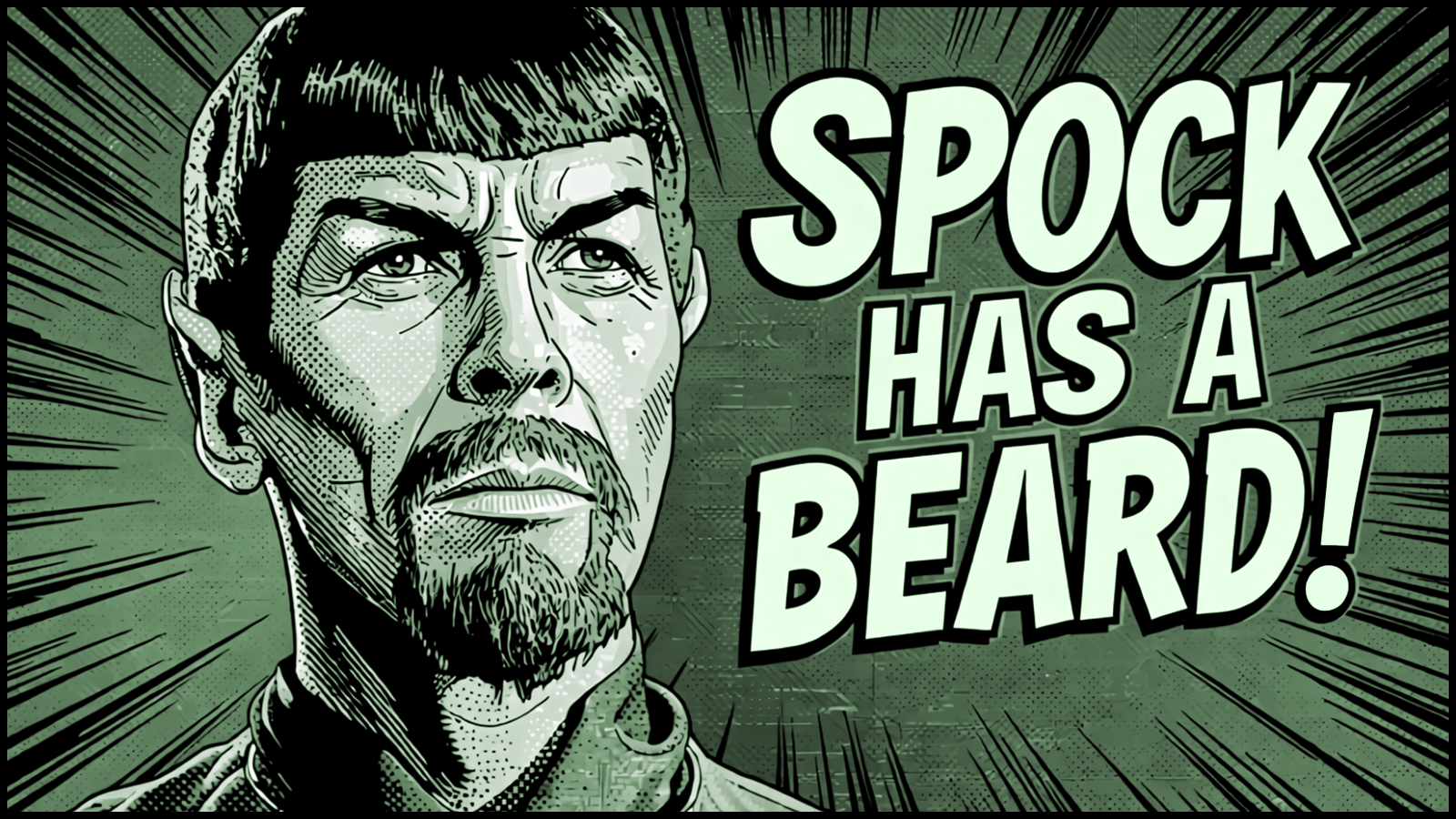
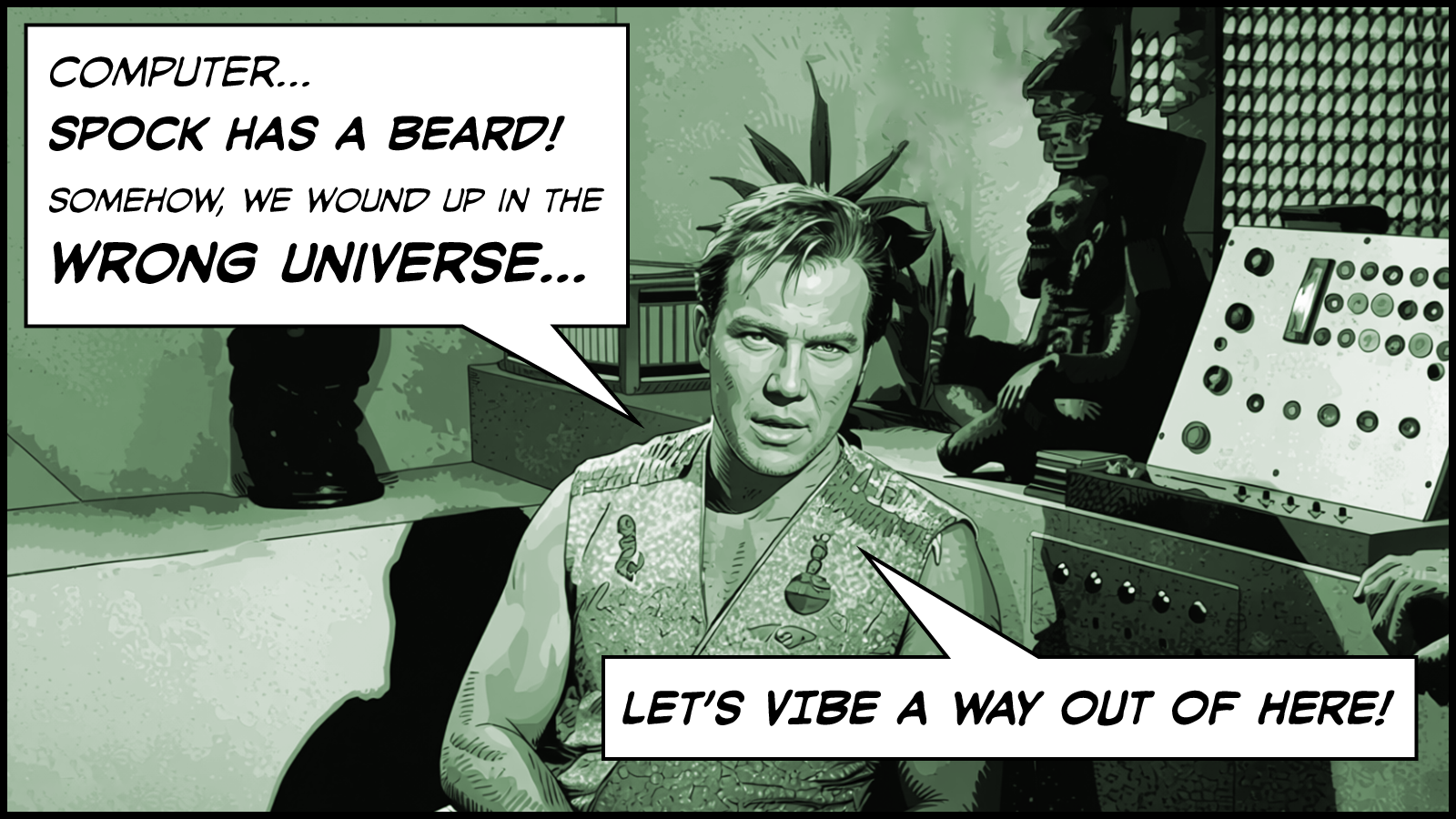
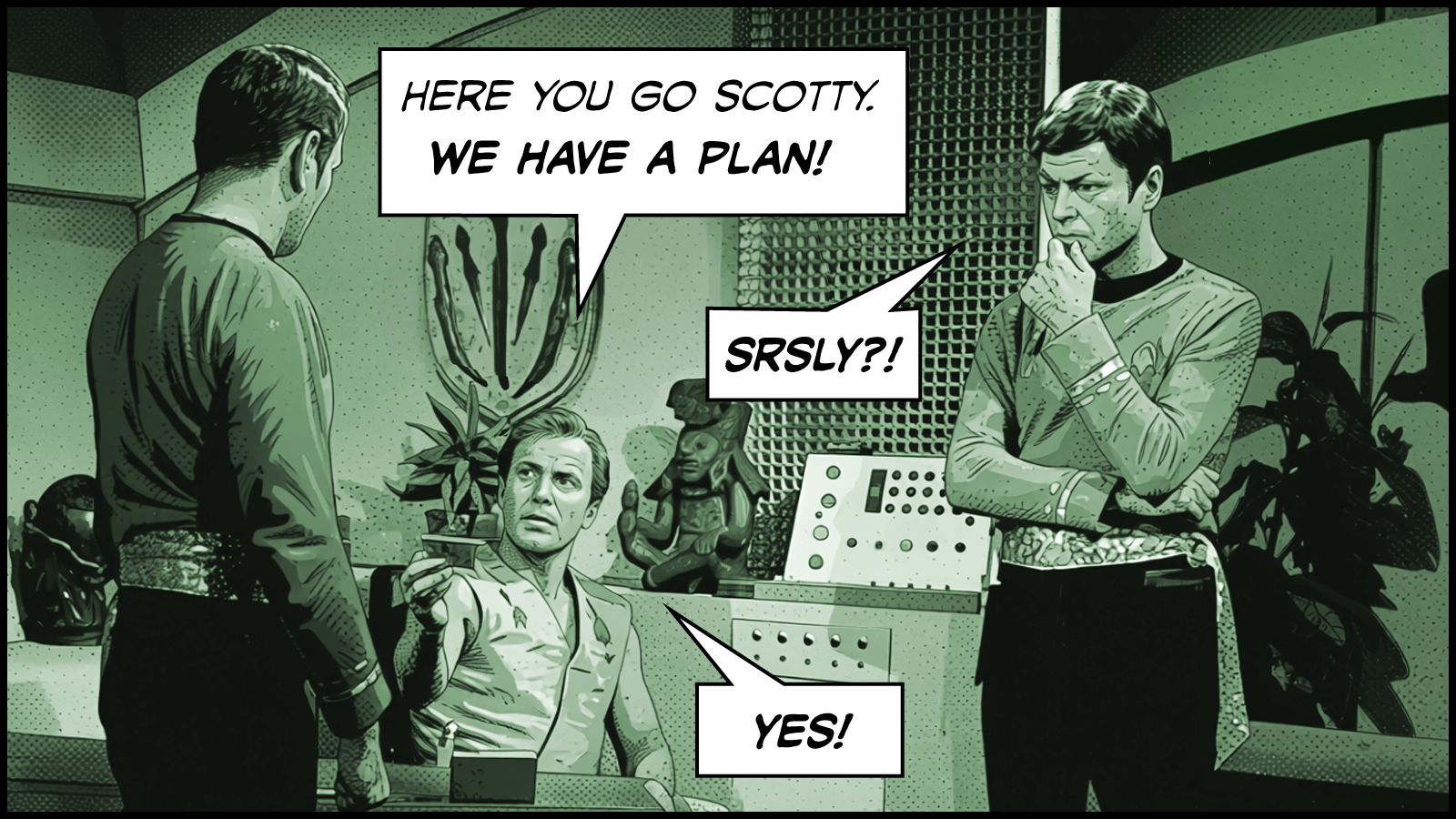
In Mirror, Mirror, Kirk beams down with McCoy, Scotty, and Uhura to a planet rich in dilithium crystals, the rare and essential mineral at the core of the matter/anti-matter power system of their starship. The inhabitants of this planet, the Halkans, are a peaceful lot, and they abhor the thought that their mineral, and its latent capabilities, could be used for violence. They balk at Kirk’s overtures to become a dilithium crystal supplier to the Federation. Kirk says, “OK. The Federation we’ll will your trust over time,” and attempts to beam back to the Enterprise. But the ship is getting tossed in an ion storm, and when the transporter completes its cycle, and deposits the landing party onto the pad of what they think is their ship, they are confronted by an evil version of Spock with a beard. They discover themselves in a parallel dimension where the Federation is the wicked reverse image of their own. In this bizarro universe, Kirk’s orders are to use the Enterprise to phaser the Halkan people into oblivion, take the dilithium crystals, and move on to the next heinous act.
Once he realizes the plight he and and crew are in, Kirk makes his way back to his quarters with McCoy and Scotty.
Kirk
Let’s find out where we stand… Computer…
Computer
Ready.
Kirk
(Raises an eyebrow in surprise at the computer's manly voice)
This is the Captain. Record security research, to be classified under my voice print or Mr Scott’s.
Computer
Recorded.
Kirk
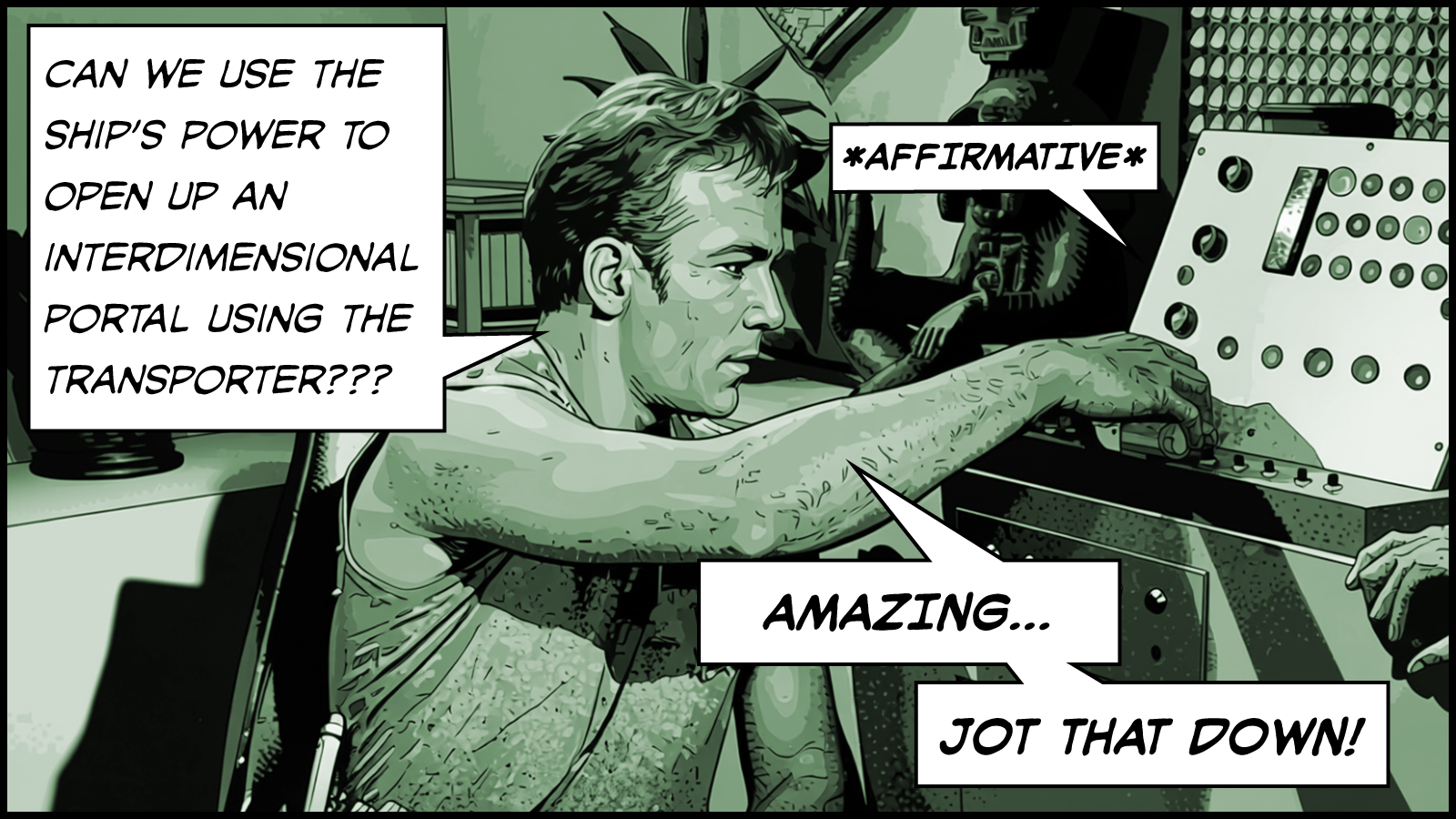
Produce all data relevant to the recent ion storm. Correlate the following hypothesis. Could a storm of such magnitude cause a power surge in the transporter circuits, creating a momentary inter-dimensional contact with a parallel universe?
Computer
Affirmative.
Kirk
At such a moment, could persons in each universe, in the act of beaming, transpose with their counterparts in the other universe?
Computer
Affirmative.
Kirk
Could conditions necessary to such an event be created artificially using the ship’s power?
Computer
Affirmative.
Kirk
(Inserts a memory data card into the computer)
Record procedure.
Computer
(Sound of electromechanical relays as it writes)
Kirk
(Takes the card and offers it to Scotty)
Scotty, can you do it?
James T. Kirk, vibe coder.
McCoy played the skeptic at first (“I’m a doctor, not an engineer!”), and he never got over his visceral dislike of the transporter. But no matter. As can be expected, after several twists and turns in the plot2, Kirk’s plan and procedure works.
As a young teenager watching these episodes as reruns (again and again), I dreamed of the future tech we were seeing, and wondered, to varying degrees, whether and when we would get any of it.
Communicators
I imagined we would have communicators. That technology seemed within reach. As a kid, we had walkie-talkies. Yet, I never expected that I would play my part in making such a real-world product come into being.
Transporters
Beaming around the world seemed like complete fantasy then, and still does today.
Conversations With Computers
I never thought we would have computers we could ask such open-ended questions of in the way that Kirk did in his quarters, have the computer respond naturally in a conversational manner, and then have machine use its backing store of knowledge to help explore a new area of ideas down and compose a solution rooted in technical details.
Up until even a few years ago, I couldn’t even ask my computer for a weather report with any real degree of confidence. But today, AI has changed the way I’ve been writing software my whole career. Just like that… BOOM… we got LLMs, coding assistants are here, and everything about writing software has changed.
Who knows? Maybe I should hold out some hope for warp-driven starships!
when working with AI, say precisely what you want to get exactly what you want
👆 This idea came to me yesterday as I was thinking about how I collaborate with AI coding assistants, why I find myself so much more productive when working with them, and maybe why others don’t share my keen interest in this new style of programming.
These days, for the most part, I now write prose instead of code. I’m fine with this. Perhaps the enthusiasm gap in other developers is an unwillingness to write plans instead of programs.
Submitting a prompt to an AI coding assistant is easier than editing a file for a compiler. At least, this is true for me—and this is the crucial point. The need to precise rather than exact delivers the productivity boost. It’s far simpler to provide a precise description of an algorithm, a function, or an API surface area in prose than it is to write it exactly, line by line, in code. This implies that I know what I want—that I’m not just vibing an end result. I still care about the details for how things in my programs are accomplished. I watch the AI do everything it does, and I stop it in its tracks when I see it stray off track. Overall, my aim is to be precise in communicating what I want so the AI can write the exact lines of code needed.
I understand that this change in working is not necessarily easier for everyone. I like writing, and I enjoyed the experience of writing Creative Selection, my book about my experiences working at Apple. I wrote one thousand new words every day during the first draft of my book, and most days, I found that was achievable by lunchtime. (For reference, this post is about 440 words).
Such a facility with prose composition is a requirement when communicating with AI. Be precise in words, and the assistant can (much of the time) respond with exact code. But be general or ambiguous, and there’s far less hope for good results.
Indeed, this often happens to me. When it does—when I don’t get what I want even though I think I asked for it—I blame myself rather than the AI, because, it’s likely that:
I wasn’t sufficiently clear, or
I tried to do too much at once, or
I left something undone in the previous step, or
I asked for something illogical or ill-conceived, or…
You get the idea. As much as ever, it’s incumbent on me as a developer, to say what I want. In clear and cogent writing.
AI coding assistants like Claude Code and Cursor have changed the way I work. My daily programming today looks nothing like it did even a couple years ago. Today, I hardly ever write individual lines of code. AI coding assistants has relieved me of this. It’s better at it than I am. I’m OK with that.
This is a big change for me, because over my thirty-year career, writing individual lines of code has my main pursuit, taking up most of my time and attention. It was the only way to build up the functions, methods, libraries, frameworks, and apps that delivered on my actual goal: producing great software that is useful and meaningful to people.
Now that I can delegate a lot of this work AI coding assistants, and that means I can focus more on thinking about exactly what I want to make, rather than tediously and laboriously trying to achieve my desired effects. I now spend more time thinking about the edifice as a whole, rather than on building it up brick by brick.
I love this. It’s freeing.
I know others don’t agree. Judging from what I see and read on the internet, many experienced software developers seem to think AI has nothing to offer—that it’s a fad, a trap, an option only for the lazy or uninitiated. Whatever. It’s not how real programming gets done.
This reminds me of The Story of Mel, a Real Programmer. As the story goes, there once was a programmer, named Mel. Mel had a computer with a drum memory, and it was possible to optimize every instruction the machine executed. He wrote his code in machine language.
Mel reveled in this kind of work. He knew all the minutiae of how his machine functioned. He could calculate the speed of the rotating drum storing his machine instructions, and he could time the read head to pass over the address of his next instruction at precisely the right moment for optimal execution speed. He scoffed at programmers who were starting to use a new-fangled software aid called an optimizing assembler, a tool to assign these addresses to the machine instructions automatically. He refused to use it.
Mel said, “You never know where it’s going to put things”.
Plus ça change…
Today, optimizing assembers lie several levels beneath the notice of contemporary real programmers. Over time, we have simply come to accept the loss of detail Mel thought was essential to proper work—since it wasn’t actually essential to the task. It was merely essential to Mel’s view of himself as a programmer.
Who knows what happened to Mel when the exact details of his machine changed out from under him? It didn’t take long, for sure. That change came fast. What didn’t change was that the actual goal for Mel was the same then as it is today: making great software. The same kind of change that Mel ridiculed is—but surely fell victim to over time—is happening right now. Only the bugaboo isn’t optimizing assemblers; it’s AI.
Yes, AI coding assistants are non-deterministic. Sure, they easily get off track. Indeed, “You never know where it’s going to put things.”
Yet, we’ve crossed over into a new era anyway. Change is coming to all software development. AI is a box of magic tools, and today, I think the job of a real programmer is to figure out how to make the best use of this new potential. Build new processes. Make new tools. Integrate AI into a new working method. Succeed at this, and help to define a better future for how we create software. Ignore the new potential, and run the risk of being left behind.